 Droidective
Droidective / Droidective for Android
Droidective for AndroidDeveloper toggles and tools, on the phone itself
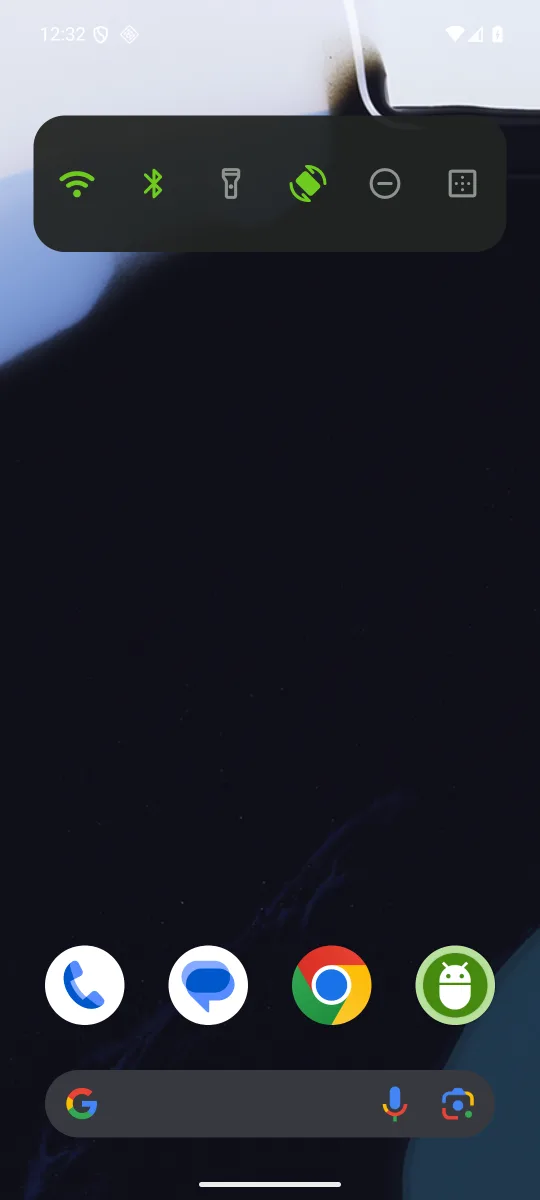
The same toggles Droidective drives from your Mac, as home-screen widgets, Quick Settings tiles and a notification bar. Plus Logcat, a crash catcher, an installer for split APKs, and automations, with Shizuku or root for the settings Android keeps from ordinary apps.
Free & open source · MIT · Android 11+ · Released on GitHub, not Google Play
What's in it
Widgets everywhere
Home-screen bars, folders, a notification bar, twelve Quick Settings tiles and shortcuts, all built from the same items: toggles, apps, other apps' shortcuts, your own shell commands, deep links and automations.
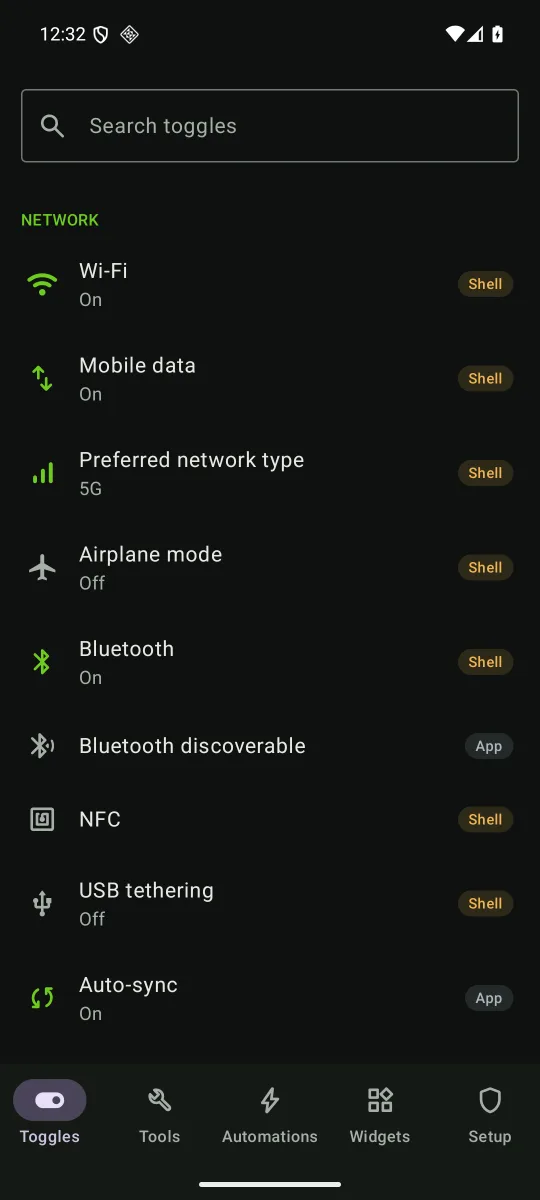
52 toggles
Network, sound, display, device and developer settings, from mobile data and preferred network type to layout bounds, show taps and animation scales.
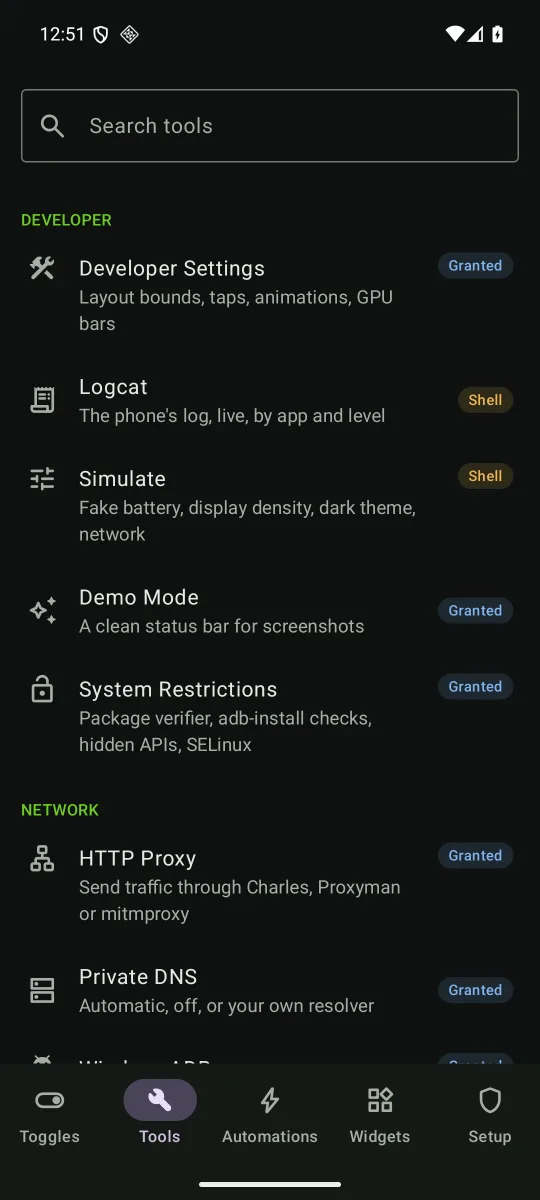
Developer tools
Developer Settings, Logcat, Simulate, Demo Mode, HTTP Proxy, Private DNS, Wireless ADB, Network Speed, Apps, Current Activity, Memory Usage, Device Info and more.
Install App
APK, APKS, XAPK and APKM files, installing only the splits this phone needs: its processor, screen density and languages.
Crash Catcher
Recent crashes, native crashes and ANRs, each with its full report to copy or share, and a notification when an app you watch crashes.
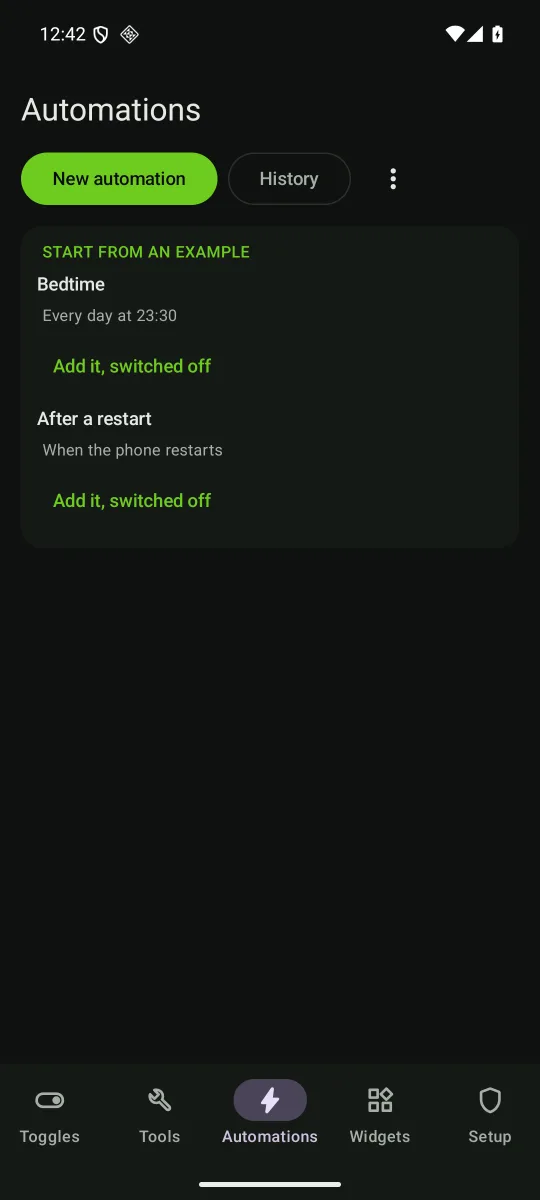
Automations
When something happens, run actions once. While something holds, keep toggles set and put each one back when it ends. Schedules, Bluetooth, Wi-Fi, apps opening, charging and more.
Four levels of access
Android keeps many settings from ordinary apps. Every toggle names the level it needs, and without it does the closest thing it can, usually opening the right system screen.
| Level | What it is | How to get it |
|---|---|---|
| App | Ordinary permissions and special access, such as Modify system settings | Android's own prompts |
| Granted | WRITE_SECURE_SETTINGS and DUMP, plus the crash-report permission |
Three adb shell pm grant lines from a computer, which the app's Setup tab shows |
| Shell | The shell user's access, through Shizuku | Start Shizuku from its app |
| Root | su, through Magisk or KernelSU |
Turn on Use root in the Setup tab |
Install it
-
Download the APK
Open the latest release on the phone and install
droidective-android-<version>.apk, allowing your browser to install apps when Android asks. From a computer:adb install droidective-android-0.1.0.apk -
Check the signature
Every release is signed with the same key. Its certificate's SHA-256 digest is 2B:05:9F:5E:11:61:0A:1D:D9:48:E7:77:12:1E:DF:1A:95:3C:F5:DC:DF:0E:86:AD:E0:8D:6A:27:87:D6:D8:B0, and a
.sha256file beside each APK holds the file's own hash.apksigner verify --print-certs droidective-android-0.1.0.apk -
Grant what only adb can
With USB debugging on, run these from a computer. On Android 11 to 14 the last permission is
READ_LOGSinstead. The app's Setup tab shows the lines for your phone, and where it stands at every level.adb shell pm grant com.droidective.android android.permission.WRITE_SECURE_SETTINGS adb shell pm grant com.droidective.android android.permission.DUMP adb shell pm grant com.droidective.android android.permission.READ_DROPBOX_DATA
The app checks GitHub once a day for a newer release. The request carries only the app's version, and Setup ▸ Updates turns it off.