 Droidective
Droidective / For iOS developers
For iOS developersAn iOS Simulator companion, no simctl to remember
Droidective puts booted iOS Simulators in the same device bar as your Android devices. Send a test push, fake the battery and appearance, fire a deep link, and capture an annotated screenshot — every xcrun simctl incantation behind a button.
Free & open source · Apple Developer ID-signed & notarized · macOS 14+
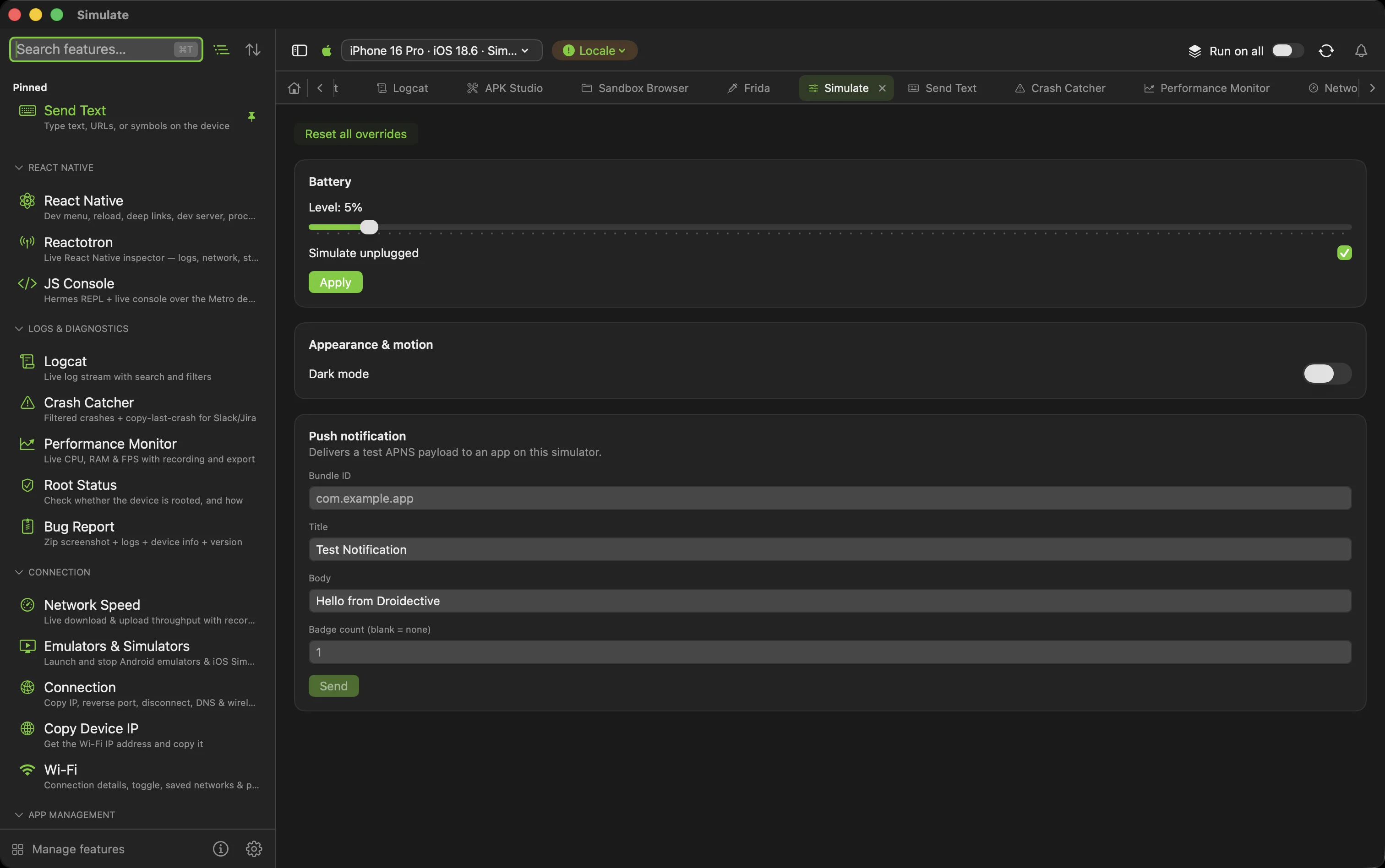
The simulator workflow, GUI'd
Simulators in the device bar
Boot and shut down simulators next to your Android emulators. A booted Simulator joins the device bar, and every command targets the one you pick.
Test push notifications
Deliver a test APNS push to any app on the simulator — pick the bundle id, write the payload, send. No JSON file on disk, no simctl push flags.
Fake device state
Set the battery level, flip system dark mode, and clean the status bar for App Store screenshots — the Simulate hub adapts to the simulator you selected.
Deep links
Launch a URL into the simulator with openurl, and save the links you test repeatedly per app so they stop living in a notes file.
Capture & polish
Screenshot straight to your Mac into a full annotation editor — pen, shapes, text, blur redaction, crop — then trim and compress recordings with bundled ffmpeg.
Android too, one device bar
The same app does logcat, mirroring, performance, and React Native debugging for the Android half of your life — both platforms, one window.